Native macOS public beta

Stay with the
difficult page.

Pageflow turns dense PDFs, articles, and notes into a focused reading workspace. Read or listen, ask grounded questions, and check what stayed with you—without handing over your whole library.

Free public beta · Apple silicon · macOS 15 or later

Pageflow · Biology 2eLocal narration
19 sec product tour
PDF · HTML · Markdown · ArticlesLocal narrationSource-grounded answers

The answer is not another summary. It’s a better way through the source.

Pageflow keeps the document at the center. Intelligence appears where it helps—then gets out of the way so you can keep reading.

From “I should read this”
to “I actually understand it.”

01

Open a document.
Keep your bearings.

Drop in a PDF, article, HTML page, or Markdown file. Pageflow restores your workspace, remembers where you stopped, and keeps the reading surface quiet.

  • Multi-tab workspaces
  • Find, page jumps, and recent documents
  • Reading progress that stays on your Mac
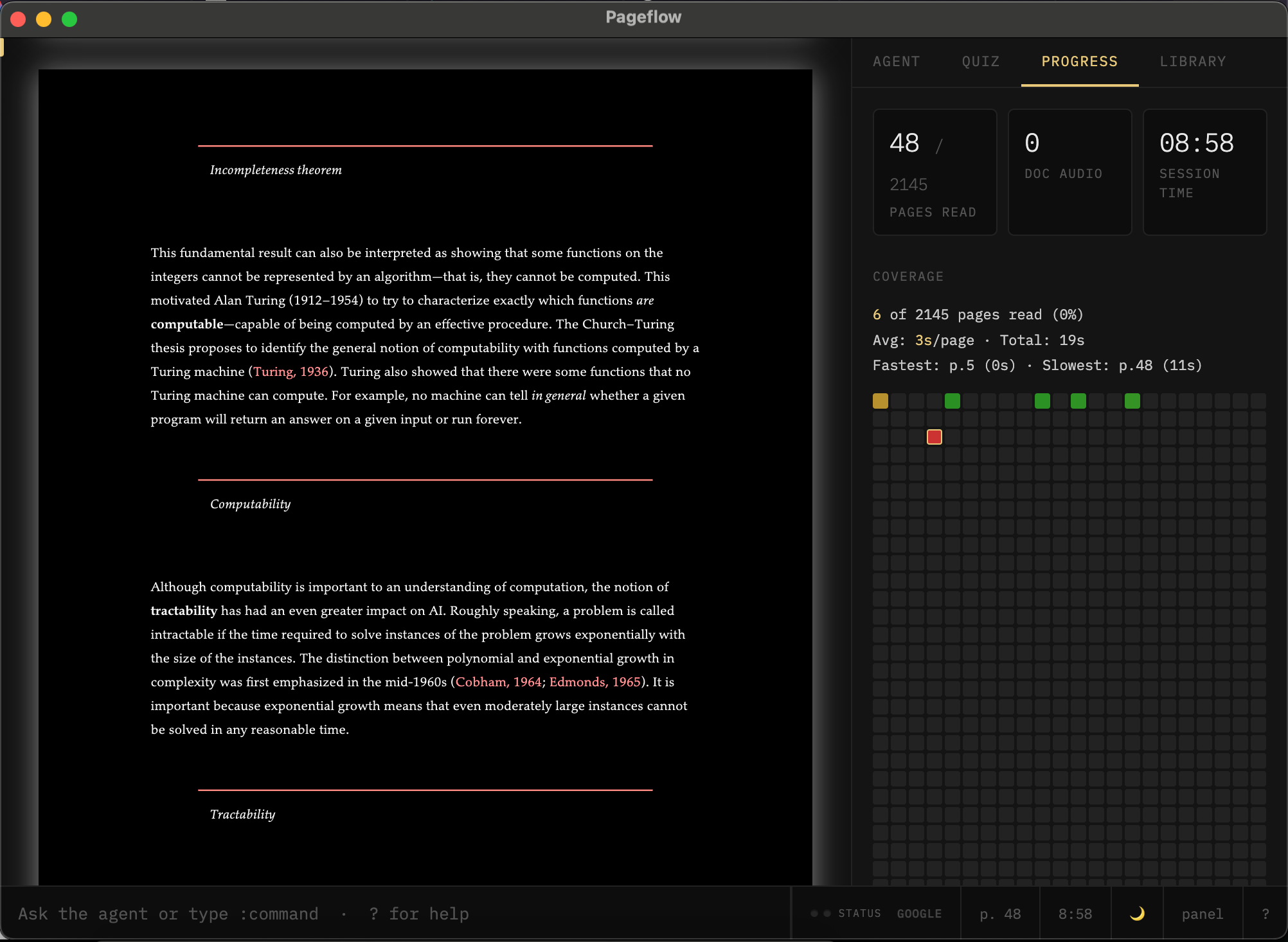
A document open in Pageflow with reading progress visible
Return to the page—not to a blank chat.
02

Listen without
leaving the text.

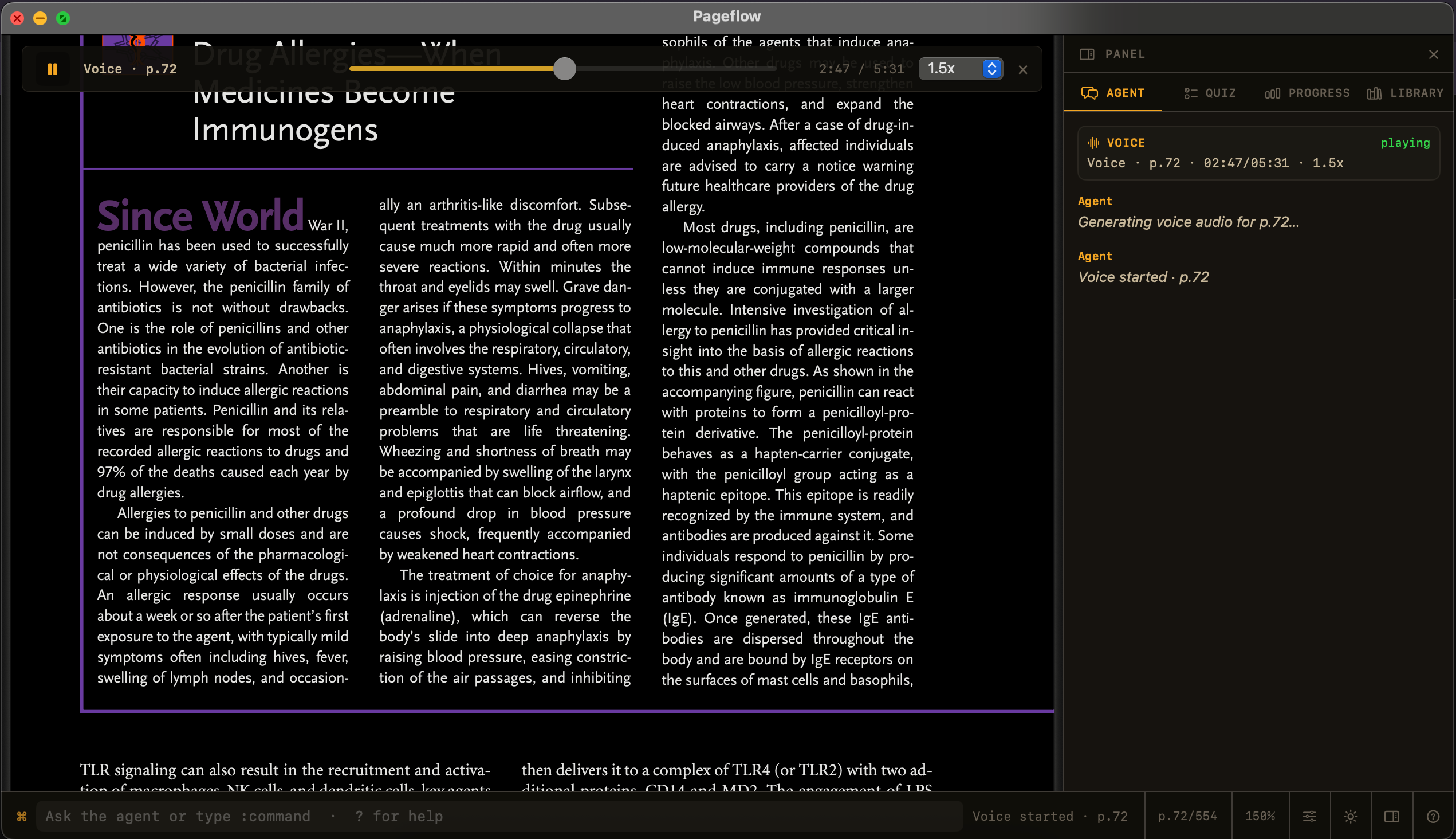
Generate narration for a page range and follow along in the same window. Change pace, resume later, and let the document remain your visual anchor.

Local mode: narration can be generated on your Mac, with no per-minute bill and no document upload.

Pageflow local narration controls over a textbook page
Reading and listening become one continuous mode.
03

Ask the page,
not the internet.

Ask a question about what you are reading. Pageflow searches the document, grounds its response in the source, and can take you back to the relevant page.

Your choice: use on-device Apple Intelligence where available, or connect a cloud provider deliberately for more demanding work.

04

Check what
actually stayed.

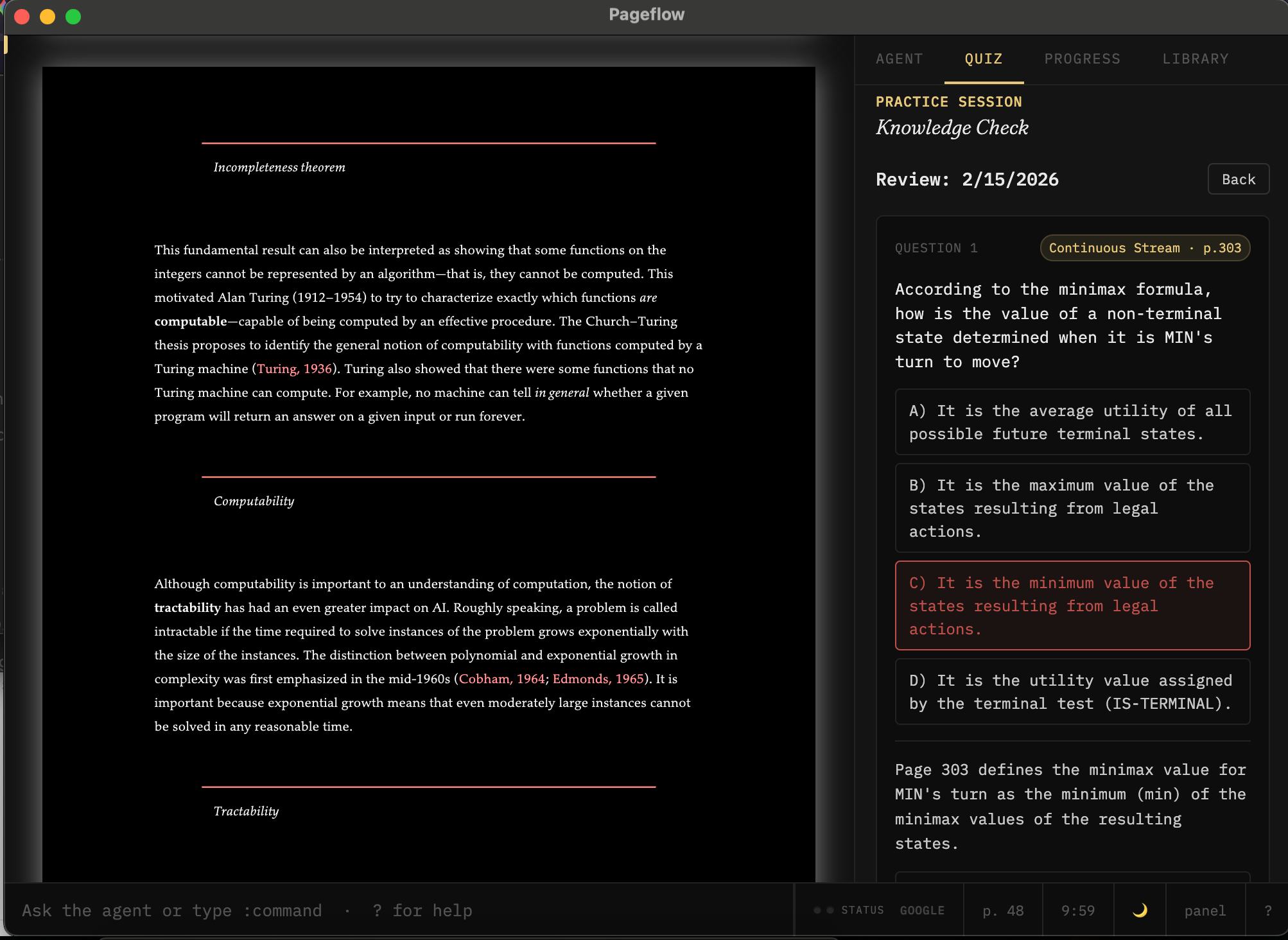
Turn the pages you just read into a short comprehension check. Questions stay connected to the source, so recall becomes part of reading—not a separate study system.

Why recall belongs inside the reader →
Pageflow showing questions generated from the pages the reader has completed
A small check at the moment it matters.

One place to read deeply.

⌘K

Command bar

Open files, jump to a page, search, change theme, or start a reading tool from the keyboard.

1.5×

Flexible pacing

Use synchronized narration, continuous playback, or an ORP speed reader for previews and review.

Grounded threads

Keep questions and explanations attached to the passage that prompted them.

↗

Useful exports

Export selected pages, Markdown notes, and learning artifacts without trapping your work.

◐

Reading history

See dwell time, revisits, and progress so you know where the difficult material actually was.

⌁

Private by mode

Local reading stays local. Cloud features send only the text needed to the provider you chose.

Your document is not the price of admission.

Documents, reading state, highlights, progress, and local narration remain on your Mac. When you deliberately choose cloud AI or a cloud voice, Pageflow sends only the necessary text to that provider.

Read the plain-language privacy details →

Notes on building a better reader.

Read all journal entries →

Read the thing you’ve
been meaning to read.

Download Pageflow for Mac

Free public beta · Apple silicon · macOS 15 or later